Picture communication • AAC

ConnectTalk

Tap a picture. Say the word. ConnectTalk helps nonspeaking children and adults communicate by tapping picture cards that speak aloud. Built by a parent for her own son—every feature comes from real daily use at home, at school, and in therapy.

Download on the App Store
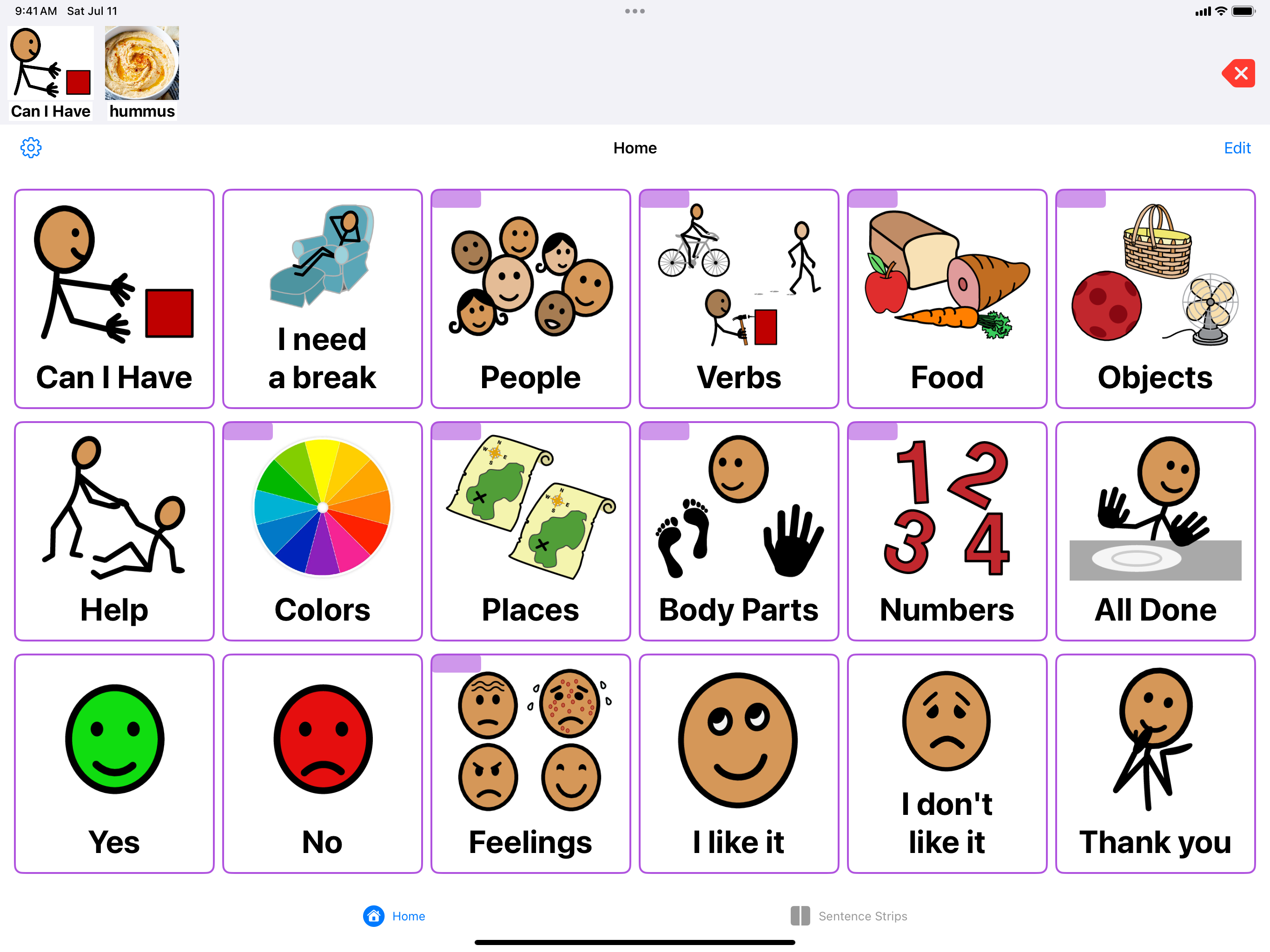
ConnectTalk home board showing communication categories like People, Food, Feelings, Colors, and more

How ConnectTalk works

A clear, consistent board that stays where the user learned it. No shuffling, no surprises, no subscriptions.

Tap to Talk

A picture board that speaks

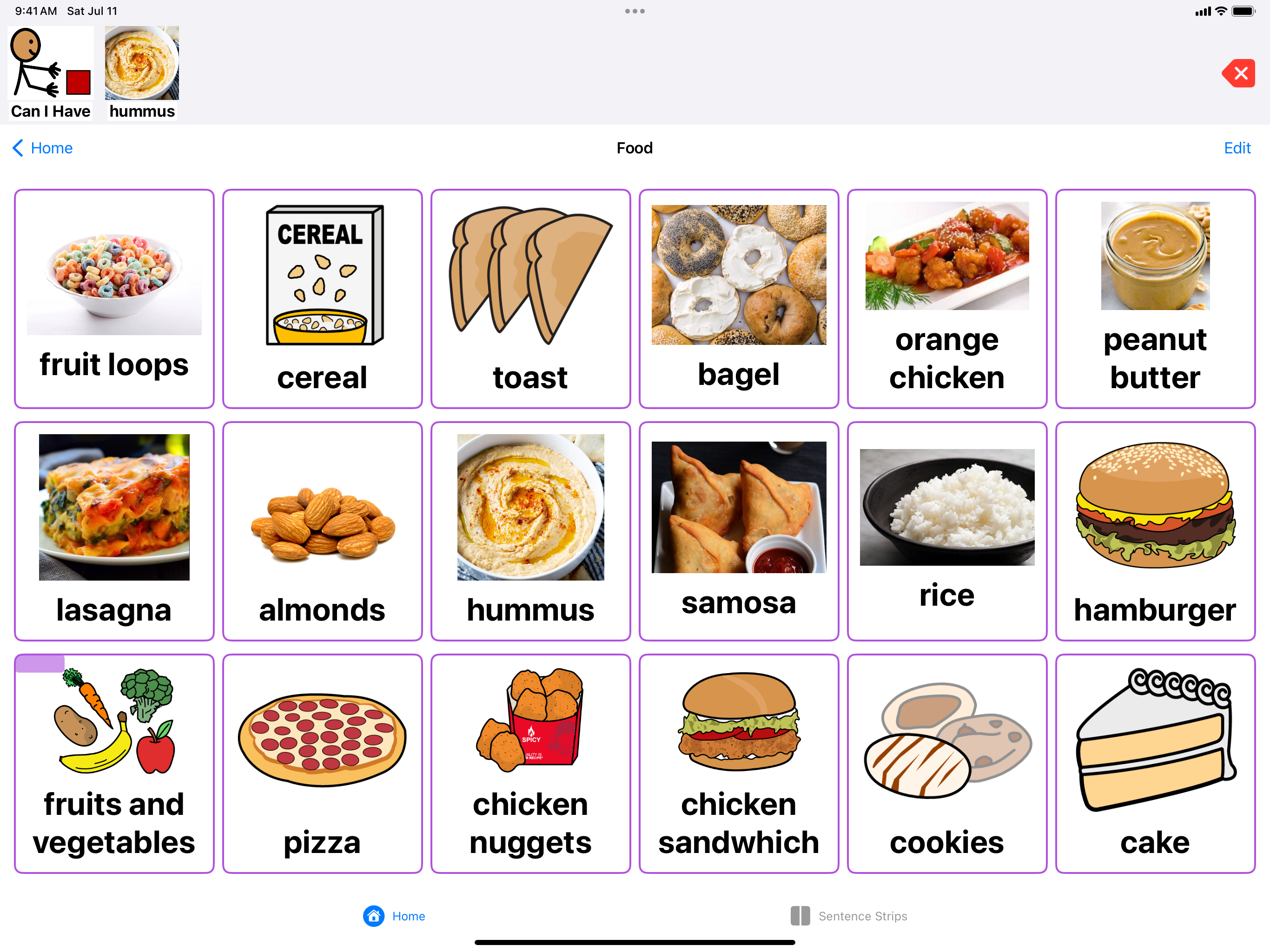
Cards are organized into folders like People, Food, Feelings, and Places. Tap a card and it speaks the word aloud. Words collect in a sentence bar at the top that reads the whole sentence. The layout never shuffles or reflows—cards stay exactly where the user learned them, on every device, in every orientation.

ConnectTalk food folder showing picture cards for fruit loops, cereal, toast, hummus, pizza, and more
Sentence Strips

Build sentences, step by step

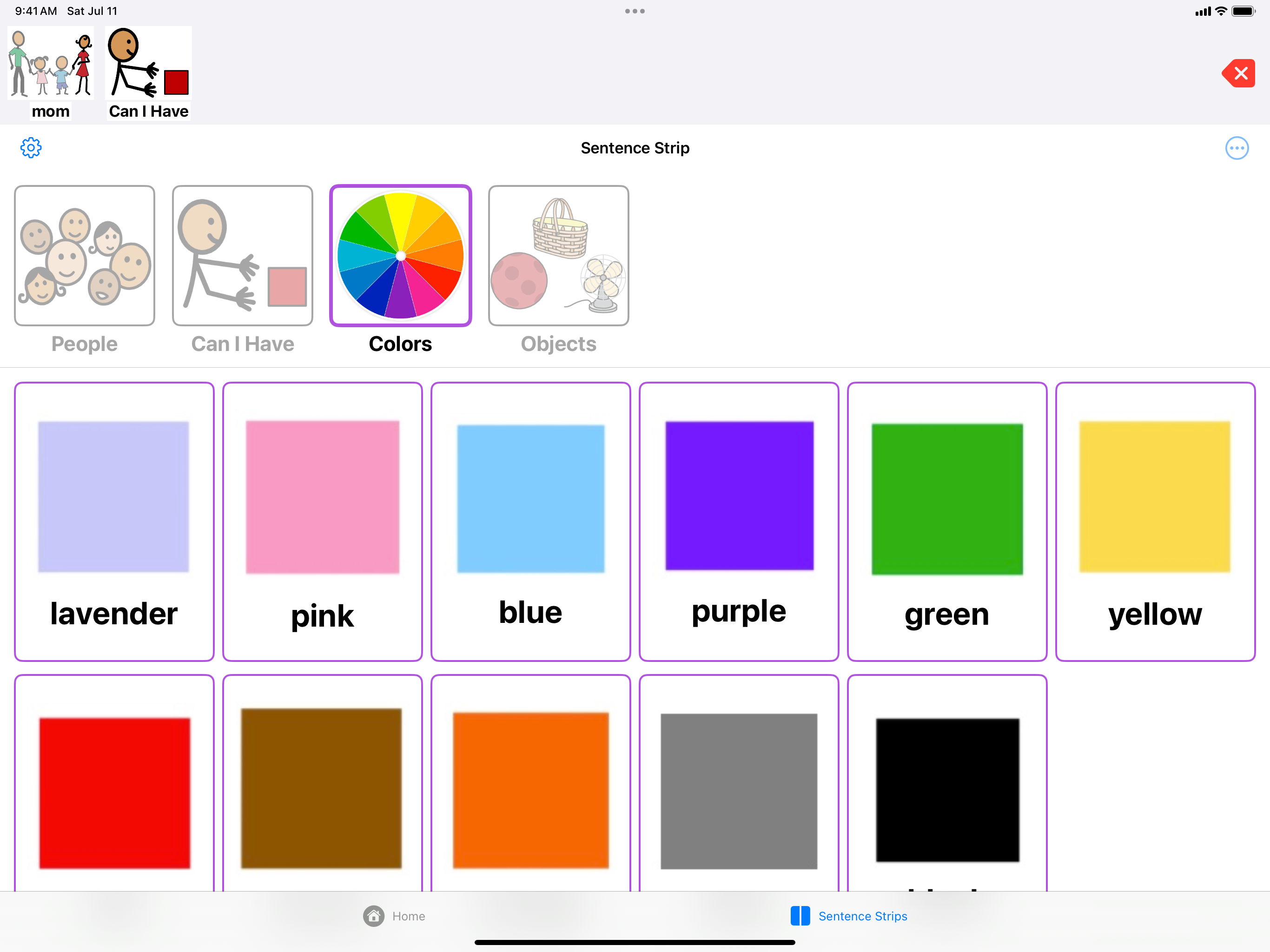
Inspired by the physical Velcro strips used in classrooms: a caregiver builds a strip like “Can I have + Colors + Objects,” and the app guides the user through it one slot at a time. The current step is highlighted, choices appear right below, and the strip stays visible while the sentence grows.

ConnectTalk guided sentence strip feature showing step-by-step sentence building with color choices
Make It Yours

Your photos. Your words.

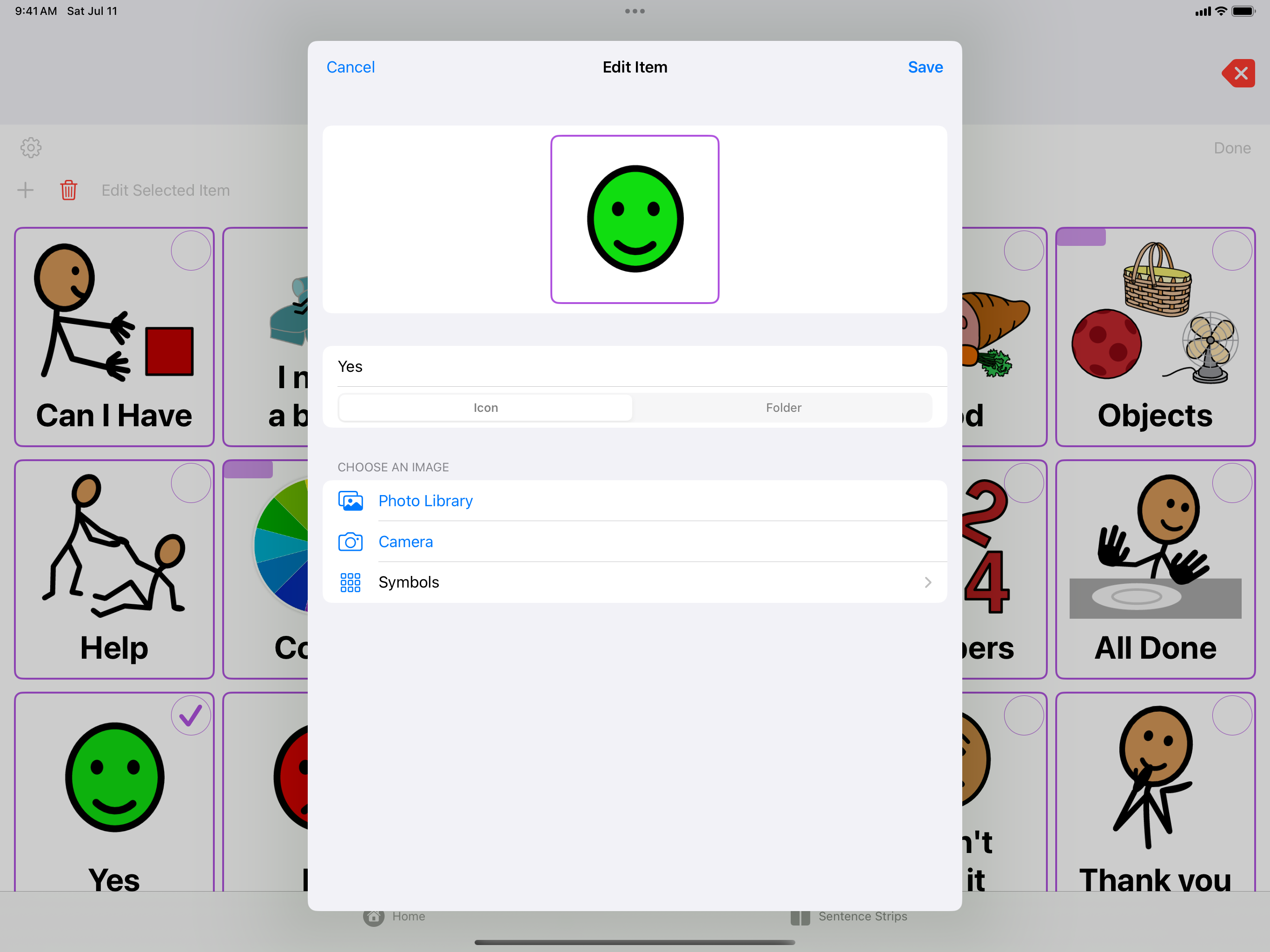
Add unlimited cards and folders using your own photos, the camera, or the built-in symbol library. Rename, reorder, and nest folders to match how your communicator thinks. Every family is different—ConnectTalk adapts to yours.

ConnectTalk icon editor showing how to customize cards with photos, camera, or symbols
Never Lose Your Work

Back up everything in one tap

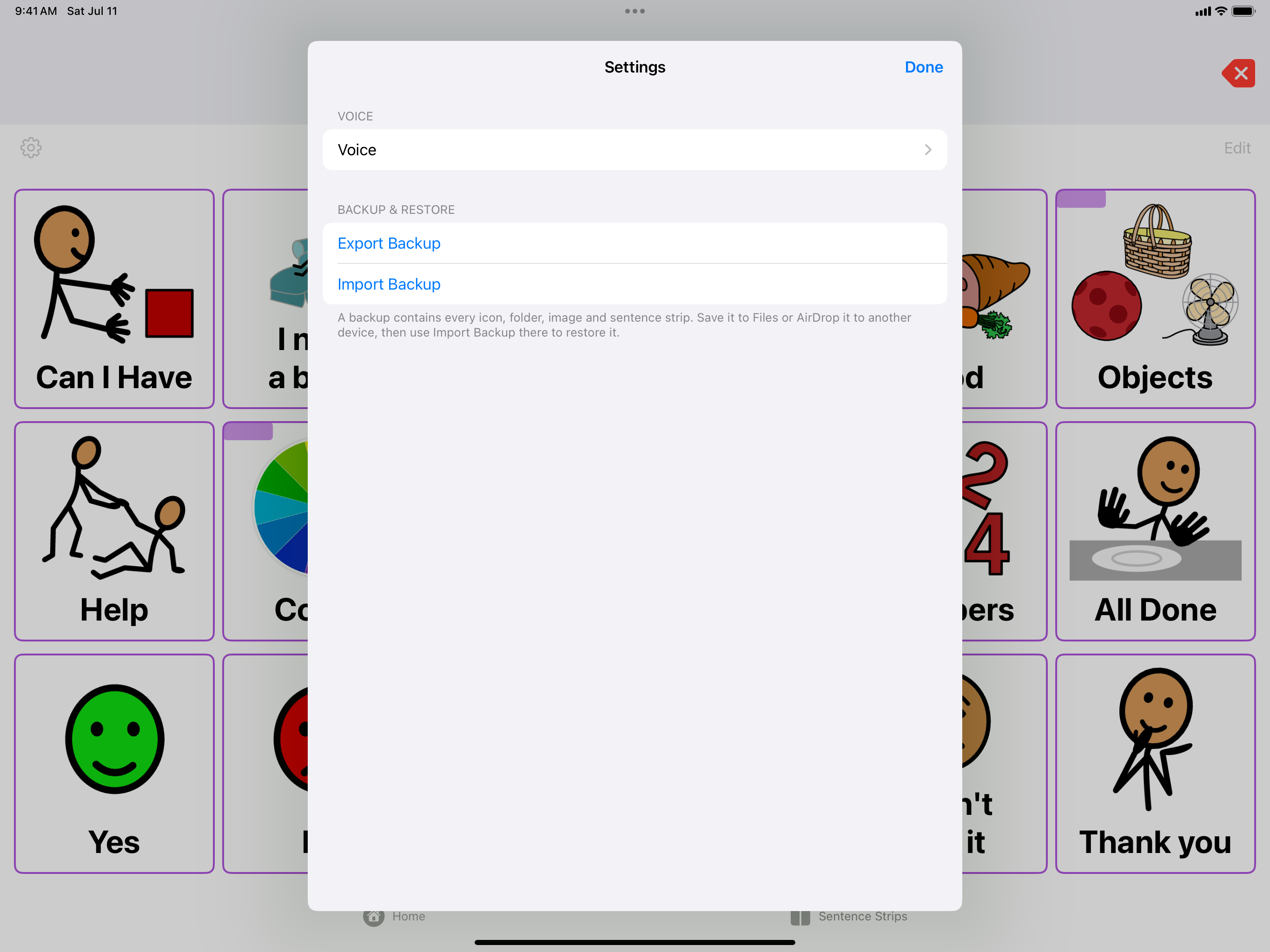
Export a complete backup—every card, photo, and strip—as a single file. Save it to Files or iCloud Drive, AirDrop it to a new device, and restore everything in one tap. Moving to a new iPad or iPhone takes minutes, not hours.

ConnectTalk settings screen showing backup and restore options

Designed for real users

Big, clear cards High-contrast cards with bold labels. Easy to see, easy to tap.
Consistent layout 6-column grid that never moves. Motor planning stays reliable.
Works in landscape Board mode on iPhone for bigger cards when you need them.
Fully offline No account, no subscription, no internet required. It just works.
🔒
Caregiver controls Edit mode is tucked away. The communicator sees only their board.
💰
One-time purchase No subscription. Pay once, use forever. Family Sharing for up to six.

Give someone a voice

Available on iPad and iPhone. One-time purchase, no subscription.

Download on the App Store

Privacy

ConnectTalk does not collect, use, save, or have access to any data from users. All data—icons, folders, photos, sentence strips, and settings—is stored locally on your device. No analytics, no tracking, no accounts.

For questions or support, contact victoria_park@yahoo.com